Master Your Money with the Ultimate Canva Financial Planner
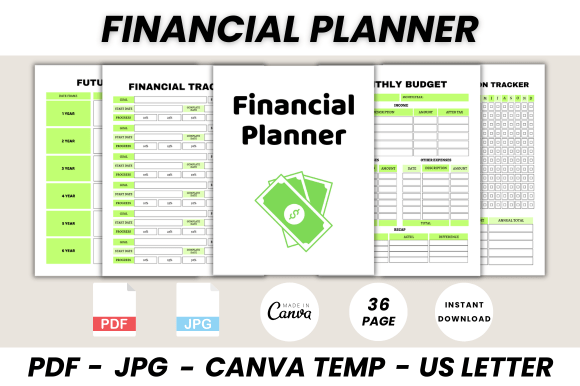
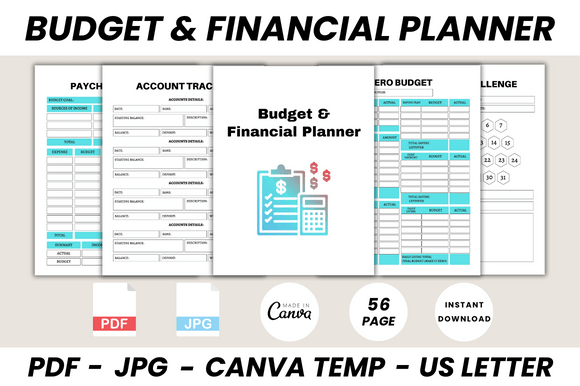
Taking control of your finances shouldn't require a finance degree or expensive software. For many, the barrier isn't a lack of motivation, but a lack of a clear, organized system. The Ultimate Budget & Financial Planner Canva Template is designed to bridge that gap, offering a comprehensive, 56-page digital toolkit that transforms the daunting task of financial management into a visual, organized, and even engaging process.
This isn't just a single spreadsheet; it's a full-fledged financial dashboard you can personalize. Built entirely within Canva's user-friendly platform, this template leverages the power of modern typography and clean layout design to create a planner that feels both professional and approachable. The visual style prioritizes clarity and function, using a balanced mix of sans serif font choices for data-heavy sections to ensure numbers are easily readable, and complementary display font styles for headers and titles that add personality without sacrificing legibility. The overall aesthetic is clean, organized, and empowering—designed to make you feel in control the moment you open it.
A Toolkit for Every Financial Goal
The true strength of this planner lies in its sheer scope. It moves far beyond a simple monthly budget sheet. You'll find dedicated pages for tracking individual savings goals, from a 52-week saving plan to specific funds for a new laptop, a wedding, or an emergency fund covering 3-6 months of expenses. For entrepreneurs and small business owners, pages like the Sales Tracker, Billing Accounts overview, and Income Tracker are invaluable. They provide a clear snapshot of business health, separate from personal finances, which is crucial for accurate bookkeeping.
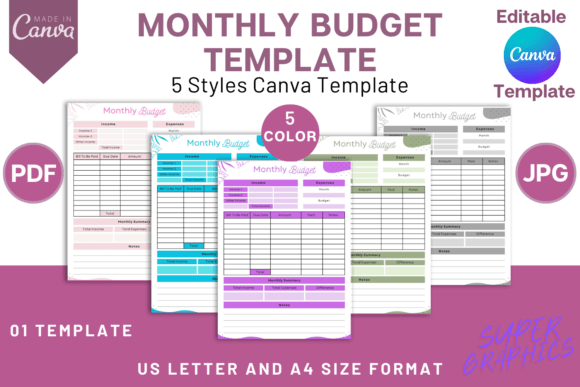
The planner also addresses nuanced financial situations. The Zero Budget sheet helps you assign every dollar a job, while the No Spend Challenge tracker provides a visual incentive to curb discretionary spending. For families, the Family Budget page offers a collaborative framework, and the Online Shopping Budget List is a practical tool for controlling impulse purchases. Each page functions as a specialized design asset, pre-formatted with logical sections and clean typography, so you're not starting from a blank canvas.
Design Meets Practicality: How Visuals Influence Financial Habits
Why does design matter in a financial planner? Because how information is presented directly impacts our ability to use it consistently. A cluttered, poorly designed spreadsheet can feel overwhelming and lead to abandonment. This Canva template uses principles of visual hierarchy to guide your eye. Key figures stand out, categories are clearly defined, and ample white space prevents cognitive overload.
The choice of a clean, professional typeface throughout the template does more than look good; it builds trust. A cohesive visual language across all 56 pages—using consistent fonts, colors, and spacing—creates a sense of reliability and professionalism. This consistency is a core tenet of brand identity, and here, you're building an identity for your financial management system. When the tool feels polished and intentional, you're more likely to engage with it regularly, turning financial review from a chore into a quick, visual check-in.
Customizing Your Financial Command Center
The template's integration with Canva is its biggest practical advantage. You don't need to be a graphic designer to make it your own. Using a free Canva account, you can edit fonts, colors, and layouts to match your personal or business branding. Perhaps you want to use a specific script font for your name on the Belongs To page, or adjust the color scheme of your Monthly Budget sheet to match your company's logo. This flexibility allows the planner to serve as an extension of your brand identity, whether for personal use or client-facing materials.
Consider these practical applications:
- For Freelancers & Entrepreneurs: Use the Invoice Tracker and Income Tracker to manage client payments. Create a branded Financial Summary page to review quarterly earnings.
- For Content Creators & Bloggers: Track sponsorship income and ad revenue separately. Use the Sales Tracker for digital product sales and the Donation Tracker for community support.
- For Families: Collaboratively edit the Family Budget page. Set up a College Fund Tracker or Car Fund Tracker with visual progress bars to keep everyone motivated.
- For Personal Finance Enthusiasts: Dive deep with the Net Worth Tracker and Annual Overview. Use the No Spend Month Tracker as a periodic reset challenge.
The ability to print these pages adds another layer of utility. While digital tracking is convenient, having a physical copy of your Bill Tracker on the fridge or your Emergency Fund progress chart on your desk can provide a constant, tangible reminder of your goals. The template is designed with printability in mind, ensuring margins and layouts translate well to paper.
Getting Started: From Template to Transformation
Begin by duplicating the entire template in Canva to create your personal master copy. Start with one or two core pages that address your most pressing need—perhaps the Monthly Budget and the Bill Tracker. As you get comfortable, explore the other pages. The Sinking Funds page is excellent for planning irregular expenses like car maintenance or holiday gifts, while the Financial Calendar helps you visualize due dates and pay periods.
Remember, the goal is progress, not perfection. This Budget & Financial Planner Canva Template provides the structure and the tools; your engagement provides the momentum. By leveraging a well-designed system that aligns with how you work—digitally, on paper, or a hybrid—you remove friction from the process of managing money. You replace anxiety with awareness, and vague goals with a clear, visual roadmap. It’s a practical application of design thinking to everyday life, proving that good organization is, at its heart, a form of good design.