Simplify Your Business Travel with a Mileage Tracker Canva Template
For freelancers, entrepreneurs, and small business owners, the end of the tax quarter often brings a specific kind of dread: the mileage log scramble. Digging through glove compartments for faded gas station receipts or trying to reconstruct weeks of travel from memory is inefficient and stressful. While there are expensive apps that track your route via GPS, they often drain your battery and require a subscription. However, there is a more direct, cost-effective solution that puts the design directly in your hands. The Mileage Tracker Canva Template offers a blend of professional utility and aesthetic flexibility, turning a mundane administrative task into a streamlined part of your brand workflow.
The Power of Editable Design Assets
Unlike static PDF forms or clunky spreadsheets, a Canva template acts as a dynamic design asset. When you download this package, you aren't just getting a picture of a tracker; you are getting a fully functional digital tool. The core of this offering is the editable Canva link. This allows you to open the design in a free Canva account and modify every element to suit your needs.
Visually, these templates are built with modern typography and clean layouts. They often utilize a balance of sans serif font choices for data entry fields to ensure legibility, paired with bolder display headers to categorize sections. This attention to visual hierarchy ensures that your data—dates, mileage, destinations, and purposes—is easy to scan. The design personality is professional yet approachable, moving away from the sterile look of government tax forms toward something you might actually enjoy filling out.
Why Use a Template Over a Spreadsheet?
You might wonder why a designer or business owner would choose a visual template over a standard Excel sheet. The answer lies in brand identity and presentation. If you are a freelancer submitting expense reports to a client, or a business owner presenting logs to an accountant, the presentation matters. A well-designed mileage log reinforces your professionalism.
Furthermore, the versatility of the included files makes this a robust package for any small business owner. The checklist for this product is comprehensive, ensuring you have everything you need for any situation:
- High-Quality PDF Files: Perfect for printing and archiving physical records.
- JPEG and PNG files: Useful for digital record-keeping or embedding in presentations.
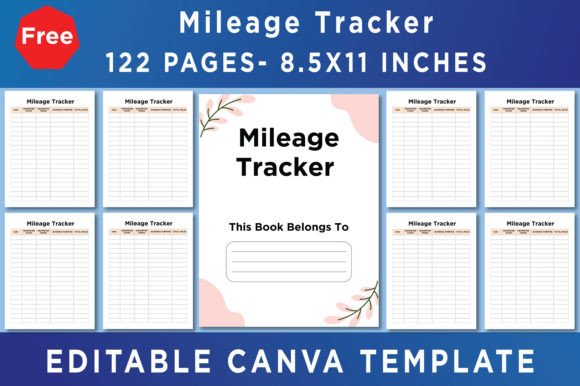
- Print Dimensions (8.5x11) Inches: Standard US Letter size ensures it fits standard binders and printers without scaling issues.
- CMYK Color and 300 DPI: These are industry-standard specifications for print-ready files, ensuring that colors look accurate and text remains crisp on paper.
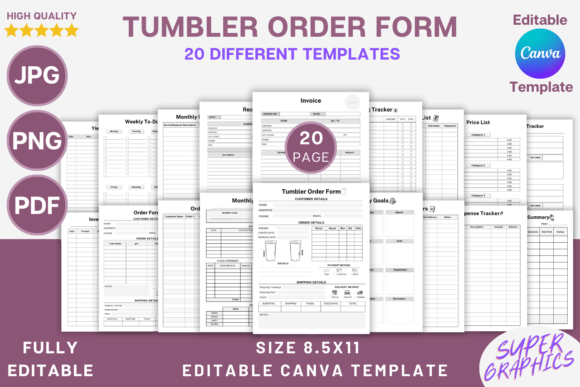
- 122 Canva Templates: A massive library of layouts means you aren't limited to one style. You can choose a minimalist daily tracker, a comprehensive monthly overview, or a specific log for client billing.
Customizing Your Workflow in Canva
The true value of the Mileage Tracker Canva Template lies in the customization process. Because you are working within Canva, you have access to thousands of free fonts and design elements. If your brand uses a specific script font for headers or a particular color palette, you can apply those in minutes. This turns a generic administrative tool into a cohesive part of your brand identity.
Here is a practical guide to getting the most out of your purchase:
- Make a Copy: This is the most critical step. To keep the original template link active for future use, you must go to your Canva home and immediately duplicate the document. Work only on the copy.
- Evaluate the Layout: With 122 templates available, take a moment to review which layout suits your driving habits. Do you need space for notes? Do you need a section for tolls? Select the display font style that matches your visual preference.
- Test Readability: While customizing, ensure that your chosen fonts are legible. A highly decorative handwritten font might look beautiful for a title, but it will be frustrating to read when used for data entry columns. Stick to clean serif fonts or sans serif fonts for the actual log entries.
- Print a Test Page: Before filling out the entire year's worth of logs, print a single test page. Check that the lines are dark enough and that the 8.5x11 dimension fits your printer's margins perfectly.
Practical Applications Beyond Tax Season
While the primary use case is tax deduction tracking, these templates serve other purposes for content creators and marketers. For example, a real estate agent can use a branded mileage log as a leave-behind item for clients to show their dedication to organization. A logistics company can use the PNG files to create digital reports for stakeholders.
Additionally, the "No Bleed" specification listed in the features is significant for those printing at home. It means the design is contained within the safe zone of the page, so you won't lose critical information if your home printer crops the edges slightly.
Final Thoughts on Utility and Style
Managing business mileage doesn't have to be a chore defined by ugly spreadsheets. By utilizing a Mileage Tracker Canva Template, you are investing in a tool that respects both your time and your aesthetic standards. It bridges the gap between necessary administration and thoughtful graphic design. Whether you are a blogger tracking trips to conferences or a small business owner managing a fleet, having a print-ready, editable, and high-quality tracking system is an essential part of running a professional operation.