Mastering the Bleach Effect Canva Frames Bundle for Modern Design
In the fast-paced world of digital marketing and creative design, texture is often the missing ingredient that separates a flat concept from a compelling visual story. If you have ever struggled to add that "lived-in," edgy, or vintage feel to your work without spending hours in complex software, the Bleach Effect Canva Frames Bundle offers a practical solution. This collection of editable templates brings the distinct, sun-faded aesthetic of distressed graphics directly into your Canva workspace. It is not just about applying a filter; it is about utilizing smart frames that allow you to instantly infuse your own photos, videos, and designs with a gritty, artistic personality. Whether you are a small business owner looking to refresh your merchandise or a content creator aiming for a distinct social media presence, this bundle serves as a versatile design asset that bridges the gap between professional editing and user-friendly accessibility.
The Visual Character of the Distressed Aesthetic
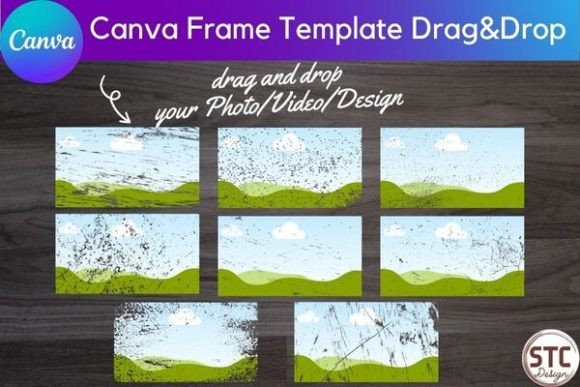
Understanding the appeal of the Bleach Effect Canva Frames Bundle requires looking at the specific visual language it employs. The "bleach effect" is a staple in modern typography and graphic design, mimicking the look of ink being lifted from fabric or paper. It creates high-contrast, irregular edges that suggest wear, authenticity, and a break from sterile perfection. This style resonates deeply with audiences who value realism and vintage charm.
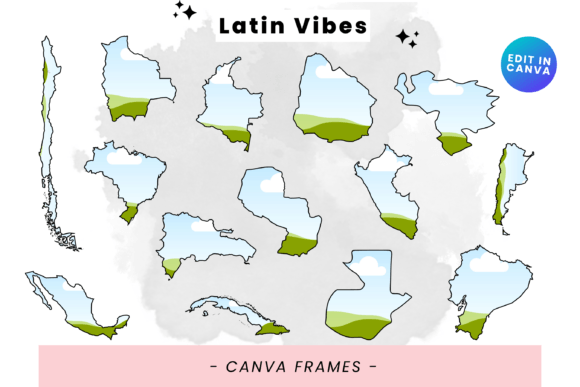
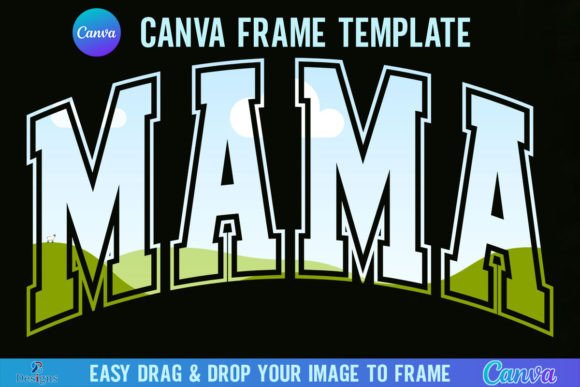
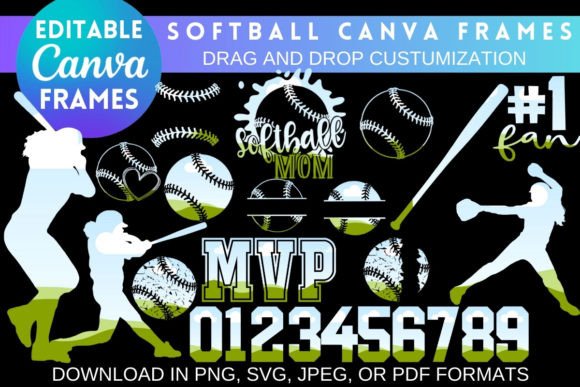
Unlike a standard sans serif font or a clean vector graphic, these distressed textures add depth and history to a design. The bundle functions as a set of digital masks. When you place your image inside the frame, the "bleach" texture overlays your content, breaking up solid colors and creating organic irregularities. This is particularly effective for logo design where a brand identity needs to feel established and rugged rather than shiny and new. For editorial design, these frames can transform a standard photograph into an artistic statement, guiding the viewer's eye through the composition with natural, weathered lines.
Practical Applications: From Screen to Print
The true value of the Bleach Effect Canva Frames Bundle lies in its versatility across different mediums. Because the product is delivered as a digital download for use inside Canva, it democratizes high-end design techniques. You do not need to be a Photoshop expert to create complex layer effects.
Merchandise and Physical Products
For entrepreneurs and crafters, the application to physical goods is immediate. The distressed style is a timeless trend in packaging design and apparel. Imagine applying this effect to:
- Apparel: T-shirts, hoodies, and tote bags often look best with a vintage wash. Using these frames ensures your print design integrates seamlessly with the fabric texture.
- Accessories: Custom mugs, phone cases, and cushions benefit from designs that look high-quality and intentional. The "bleach" look hides minor imperfections in sublimation printing and adds a professional edge.
- Stationery: Stickers and wall art with a distressed texture feel more tactile and premium than flat digital prints.
Digital Presence and Branding
In the digital realm, consistency is key to brand identity. The Bleach Effect Canva Frames Bundle allows you to maintain a cohesive visual style across various platforms.
- Social Media Graphics: Instagram posts, Facebook covers, and Pinterest pins often get lost in a sea of high-gloss, AI-generated perfection. A raw, textured frame cuts through the noise, signaling authenticity to your followers.
- Web Design Elements: Website art and headers using these frames can add a layer of visual interest without slowing down load times, provided they are optimized correctly.
- Digital Marketing: Newsletter headers and digital covers gain a tactile quality that encourages engagement. It suggests that the content inside is handcrafted and valuable.
Streamlining the Design Process with Canva
One of the biggest hurdles in design is the learning curve associated with professional software. This bundle removes that barrier. The "drag and drop" functionality mentioned in the product description is a game-changer for workflow efficiency. Once you download the PDF and access the link, you are working within a familiar environment.
The process is intuitive: you select a frame, drag your photo or video onto it, and double-click to adjust. This ease of use does not mean you sacrifice creative control. You can still manipulate the position and scale to ensure the focal point of your image aligns perfectly with the texture. For those working on sublimation art, this precision is crucial. You need to ensure that the distressed elements enhance the subject rather than obscuring it. By using these templates, you can experiment with different compositions in seconds, a luxury that manual editing often denies.
Strategic Selection and Project Fit
While the aesthetic is powerful, it is not a one-size-fits-all solution. As an experienced designer, I would advise evaluating the personality of the Bleach Effect Canva Frames Bundle against your specific project goals.
Brand Alignment: If your brand identity is built on minimalism, luxury, and clinical precision—think high-end tech or medical aesthetics—the heavy distress of a bleach effect might clash with your message. However, if your brand leans toward streetwear, artisanal goods, indie music, or eco-friendly products with a rustic vibe, this style is an ideal match.
Readability and Hierarchy: When using these frames for text-heavy designs, such as posters or social media graphics, be mindful of readability. The distressed texture can interfere with legibility, particularly with thin sans serif fonts or complex script fonts. It is best practice to place text in cleaner areas of the frame or use bold, heavy display fonts that can withstand the visual "noise" of the texture.
Commercial Licensing: The description notes that you are allowed to use the images in commercial ways, except for reselling the templates as-is. This is standard for design assets. It means you are free to sell the merchandise you create (the t-shirts, the mugs, the prints), but you cannot package the frames themselves and sell them to other designers. This protects the original creator while giving you the freedom to monetize your finished products.
Conclusion: Elevating Your Creative Toolkit
The Bleach Effect Canva Frames Bundle is more than just a set of textures; it is a workflow enhancer for the modern creator. It brings a level of stylistic complexity to Canva that was previously difficult to achieve without advanced skills. By integrating these frames into your workflow, you can quickly produce high-impact visuals that resonate with audiences looking for authenticity and style. Whether you are refreshing your merchandise line, building a new social media campaign, or designing personal art, this bundle provides the tools to do so efficiently and effectively.