EBook Template for Canva: Streamline Your Digital Publishing
Creating a polished, professional eBook shouldn't require a design degree or weeks of formatting headaches. The EBook Template for Canva solves this common frustration for content creators, offering a ready-made framework that transforms your ideas into beautifully structured digital publications. Whether you're building a lead magnet for your email list, supplementing online course materials, or publishing a standalone guide, this template eliminates the blank page problem entirely.
What Makes This Canva eBook Template Stand Out
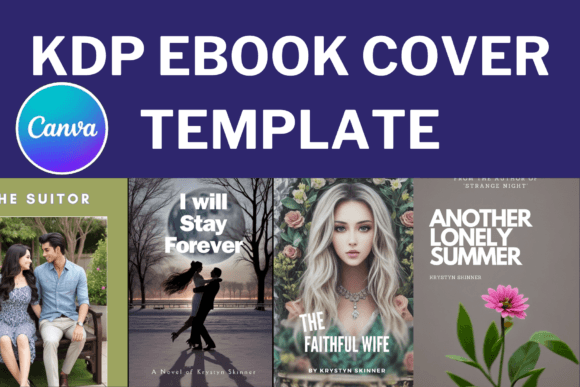
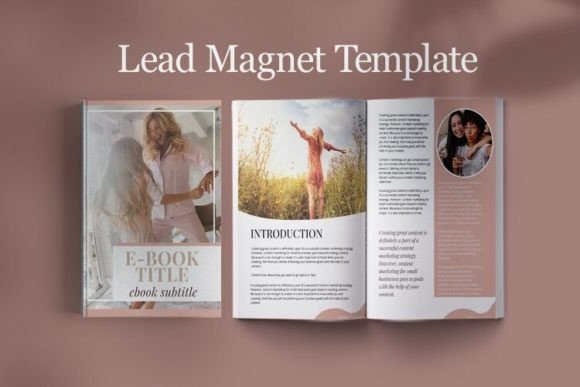
At its core, this template package delivers 30 carefully designed page layouts in US Letter dimensions (8.5" by 11"). The collection includes two distinct cover page variations, giving you flexibility right from the start. You'll also find two table of contents designs, two about the author sections, seventeen versatile content pages, four conclusion layouts, two checklist pages, and one timetable template. Each element serves a specific purpose in the publishing workflow.
The visual personality strikes a balance between modern minimalism and functional elegance. Clean lines dominate the aesthetic, with thoughtful white space that guides readers naturally through your content. Typography hierarchies feel intuitive rather than forced, making it simple to establish clear distinctions between headings, subheadings, and body text. The overall style works across multiple industries without feeling generic or templated.
Practical Applications Across Creative Industries
Bloggers find tremendous value in repurposing existing content into downloadable resources. Instead of letting popular posts gather digital dust, you can package them into comprehensive guides that serve your audience differently. The checklist pages prove especially useful here, allowing readers to take actionable steps based on your expertise.
Course creators benefit equally from this approach. Supplementary materials enhance the learning experience significantly, and having a consistent visual framework across all course assets builds brand recognition. Students appreciate receiving well-organized resources that complement video lessons or live sessions. The timetable template particularly shines for structuring multi-week programs or workshop schedules.
Small business owners often struggle with creating professional marketing collateral without hiring expensive designers. This eBook template bridges that gap effectively. Use it for product catalogs, service guides, company overviews, or industry reports. The about the author pages work beautifully for establishing credibility and sharing your professional background with potential clients.
Design Elements That Enhance Readability and Engagement
Visual hierarchy matters enormously in digital publishing. Readers scan content differently on screens versus print, and this template respects those behavioral patterns. Heading sizes create clear entry points for different sections, while body text maintains comfortable line lengths that reduce eye strain during extended reading sessions.
The content pages offer enough variety to maintain visual interest throughout longer documents without becoming distracting. You won't find excessive decorative elements competing with your message. Instead, subtle design choices support comprehension and keep readers moving forward through your material.
Color customization options align with modern branding expectations. Every element accepts color changes through Canva's straightforward editing interface, allowing you to match existing brand palettes precisely. This consistency across design assets strengthens brand identity and builds audience trust over time.
Maximizing Your eBook Template Investment
Start by reviewing all included page layouts before writing a single word. Understanding available structures helps you outline content more strategically. The seventeen content pages accommodate various information densities, from text-heavy explanations to visual showcases with supporting descriptions.
Consider your primary use case carefully. Lead magnets typically perform best at 10-20 pages, providing genuine value without overwhelming subscribers. Course supplements can extend longer, especially when covering complex topics that benefit from detailed explanations and examples. Standalone publications might use all thirty pages, creating comprehensive resources that justify premium pricing or exchange for email addresses.
Font pairing within the template follows contemporary typography principles. The pre-selected combinations demonstrate solid understanding of contrast, weight variation, and complementary styles. However, you retain complete freedom to experiment with alternatives that better reflect your brand personality. Test any font changes across multiple pages to ensure consistency holds throughout the entire document.
Building Professional Publications Without Design Experience
The real strength of this eBook template lies in democratizing professional publishing. Years ago, creating something this polished required either significant design skills or substantial budgets for freelance help. Now, anyone with basic computer literacy and a free Canva account can produce materials that genuinely compete with traditionally published content.
Focus your energy on content quality rather than layout struggles. When the structural decisions are already made, you can concentrate entirely on delivering valuable information to your readers. This shift in attention typically produces better outcomes than trying to simultaneously master writing and design fundamentals.
Remember that consistency builds professional perception faster than any single design element. Using this template across multiple publications creates a recognizable style that audiences begin associating with your expertise. That recognition compounds over time, strengthening your position within your chosen niche or industry.