Canva Frame Template: Text Box & Photo Design Guide
When you're building a brand, creating content, or launching a product, the way you present your images and text matters just as much as the words themselves. A well-designed frame can turn a simple photo into a polished marketing asset, and a thoughtfully placed text box can make your message impossible to ignore. That's exactly what the Canva Frame Template Text Box and Photo collection was built to do — give you professional-grade design assets without the steep learning curve.
What Exactly Is This Canva Frame Template?
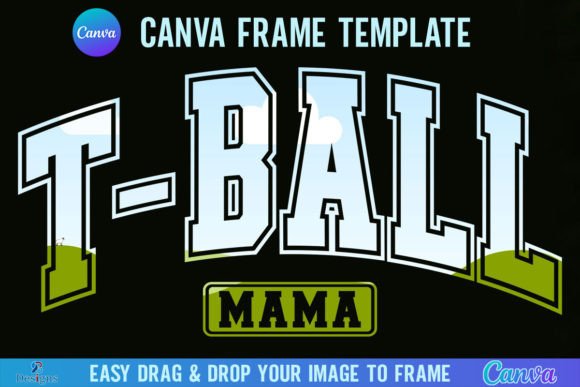
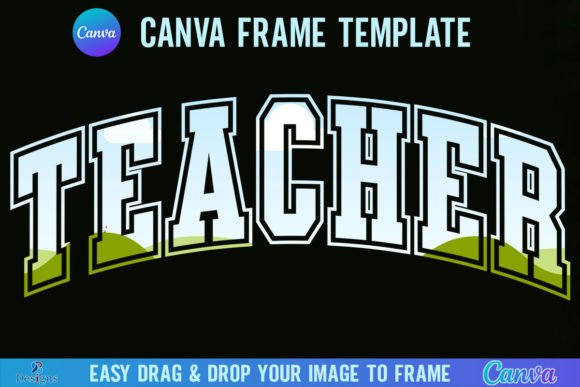
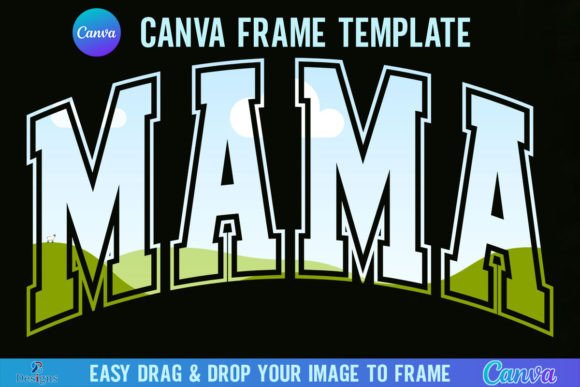
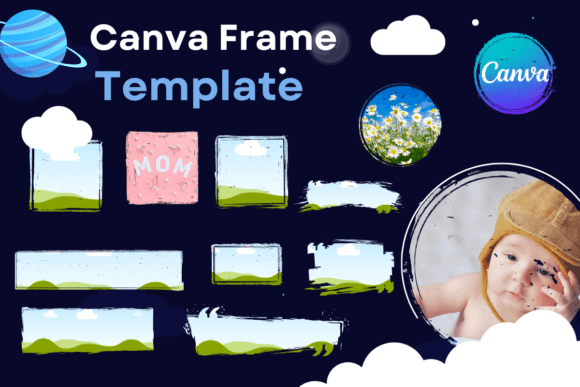
Let's get the practical details out of the way first. This is a digital file — no physical product ships to your door, no props are included. You'll receive a single PDF file containing a link to 12 custom-made Canva frame templates, each sized at 8.5 x 11 inches. These templates feature transparent layers that work beautifully for vinyl sublimation projects, and the sizes are approximate, meaning you can scale them up or down to fit whatever you're working on.
One important distinction: this is not a PNG or SVG file. It's an editable Canva template, which means you have full control over every element inside Canva's free or pro editor. You can drag and drop your own photos, swap text, adjust colors, and reshape each frame to match your brand identity without touching complicated design software.
The Visual Character of These Frame Templates
Each of the 12 templates in this collection carries its own personality. Some lean modern and minimal — clean lines, generous white space, and structured text boxes that give your copy room to breathe. Others embrace a more decorative approach with layered frames, overlapping photo placements, and text areas that interact dynamically with the visual elements surrounding them.
The overall aesthetic strikes a balance between versatility and distinctiveness. These aren't generic placeholder frames you'd find buried in Canva's default library. They're crafted with intentional proportions, thoughtful spacing, and layout compositions that reflect current modern typography and design trends. Whether you're working on a logo design presentation, editorial design layout, or packaging design mockup, the frames provide a polished starting point that elevates your work immediately.
For Entrepreneurs and Small Business Owners
If you're running a small business, you already know how much time gets eaten by content creation. Social media posts, product photos, promotional flyers, email headers — the list never ends. The Canva Frame Template Text Box and Photo collection cuts that time significantly. Instead of starting from a blank canvas every time, you pick a frame, drop in your product photo, type your headline, and you have a ready-to-publish graphic.
This matters for brand identity consistency too. When you use the same frame style across your Instagram feed, your website banners, and your printed materials, your audience starts recognizing your visual language before they even read your name. That kind of recognition doesn't happen by accident — it comes from deliberate, repeated use of cohesive design assets.
For Content Creators and Bloggers
Bloggers and content creators often juggle multiple platforms simultaneously. A single blog post might need a Pinterest pin, an Instagram story, a Facebook cover image, and a newsletter header. These frame templates adapt to each format because of their scalable sizing. You're not locked into one rigid dimension — you resize the template to whatever your platform demands while keeping the same professional structure.
The text box component deserves special attention here. Rather than floating text over an image and hoping it stays readable, these templates position text boxes in deliberate zones where contrast and legibility are already accounted for. That's a small detail that makes a massive difference in how your audience engages with your content. Poor text placement is one of the most common mistakes in web design and social media graphics, and these templates solve it by design.
For Designers and Creative Professionals
Professional designers will appreciate these templates as efficient starting points rather than finished products. The transparent layers and editable structure mean you can use them as foundation elements in larger compositions. Need a quick mockup for a client presentation? Pull a frame, insert their brand imagery, add their tagline, and you have something polished in minutes rather than hours.
The sublimation compatibility is particularly useful for designers working in the physical product space. Vinyl projects, custom merchandise, printed wall art — the transparent layer structure integrates cleanly into sublimation workflows without the extra step of removing backgrounds or converting file formats.
Practical Guidance for Getting the Most Out of These Templates
Start with your photo selection. The best frame template in the world can't rescue a low-quality image. Choose photos with good lighting, clear focal points, and enough resolution to scale without pixelation. Since these templates are 8.5 x 11 inches, your source images should ideally be at least 2550 x 3300 pixels for print-quality output.
Match the frame personality to your project tone. A playful, handcrafted-style frame works beautifully for a bakery's social media but might feel out of place on a law firm's annual report. Look at each of the 12 templates and think about which visual personality aligns with the message you're communicating. This is where your instinct as a creative professional matters — the template gives you the structure, but you bring the context.
Experiment with text hierarchy. Each template includes text boxes positioned at specific sizes and locations. Use those intentionally. Put your most important message in the largest, most prominent text box. Use secondary text boxes for supporting details. Resist the urge to fill every available space — sometimes the most effective design leaves room for the viewer's eye to rest.
Test before committing. Duplicate your Canva project and try different variations. Swap photos, change color palettes, adjust text sizes. Because these are fully editable Canva templates, iteration costs you nothing but time, and it often reveals combinations you wouldn't have considered on your first pass.
Why Editable Templates Beat Static Files
There's a reason this collection comes as an editable Canva template rather than a static PNG or SVG. Static files give you one option — use it as-is or spend time modifying it in separate software. An editable Canva Frame Template Text Box and Photo file lives inside an environment most people already use, requires no additional software, and allows real-time customization that adapts to your specific needs.
For teams, this collaborative advantage multiplies. Multiple people can access and edit the same template, maintaining brand consistency across departments without endless email chains of revised files. For solo creators, it simply means less friction between your idea and the finished product.
These 12 templates give you enough variety to cover a wide range of projects without overwhelming you with choices. Each one serves a distinct purpose, and together they form a practical toolkit that earns its place in your ongoing creative workflow. Whether you're building a brand from scratch or refining an existing visual identity, having reliable, professional frame templates ready to customize saves time, maintains quality, and keeps your content looking sharp across every platform you touch.