Scratch Letter Canva Frame: Instantly Elevate Your Designs
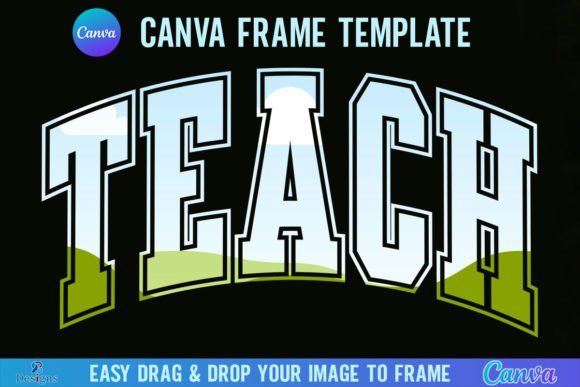
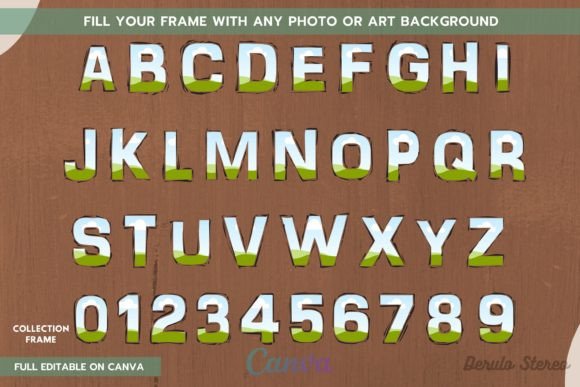
As a designer, I'm always looking for tools that bridge the gap between a quick idea and a polished final product. The Scratch Letter Canva Frame is exactly that—a clever, versatile design asset that turns Canva's powerful frame feature into a creative powerhouse for letterforms. At its core, it's a digital template file providing the entire alphabet A-Z and numbers 0-9, each as a smart frame. You simply drag and drop your chosen photo, video, or pattern into the letter shape, and Canva's tools handle the rest. The visual style is clean and contemporary, with a structured, slightly textured feel reminiscent of modern signage or embossed printing. This isn't just a font; it's a frame design system that offers immense flexibility for creating unique, personalized typography.
Where This Template Truly Shines
The real value of the Scratch Letter Canva Frame lies in its practical application across countless projects. For brand identity work, imagine creating a logo monogram where the letters are filled with a brand's signature texture or a hero image from a campaign. This approach instantly adds depth and visual interest that standard display fonts can't match. For social media graphics, it's a game-changer. You can craft eye-catching Instagram stories or Pinterest pins where letters are filled with dynamic video clips, creating an engaging, animated effect that stops the scroll. Publishers and content creators can use it to design unique chapter headings, digital magazine covers, or newsletter headers that feel custom and premium.
Beyond the digital realm, this Canva template is a fantastic tool for print design and merchandise. Small business owners can design standout packaging where product names are filled with ingredient patterns or lifestyle photos. Crafters and hobbyists will find it perfect for creating personalized wall art, custom stickers, or even sublimation designs for mugs and phone cases. The ability to use your own images means every project becomes uniquely yours. It functions as a DIY template that empowers you to produce professional-looking design assets without needing advanced software skills.
A Practical Guide to Using the Frames Effectively
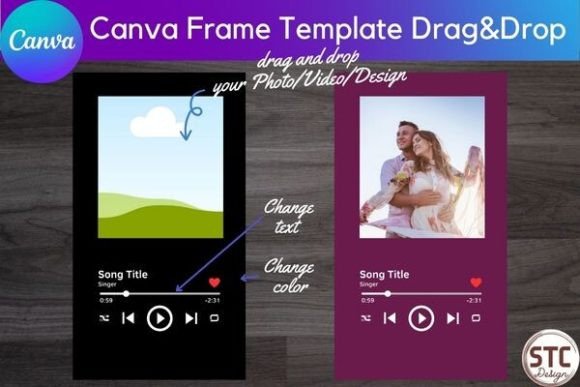
Getting started is incredibly straightforward. The digital download provides a PDF with a direct link to open the entire A-Z and 0-9 frame set in Canva. From there, the process is intuitive: find the letter you need, drag your desired photo frame template or pattern into it, and double-click to adjust the focal point. However, a few professional tips can elevate your results. First, consider readability. If you're filling letters with busy photos, ensure the background of your overall design provides enough contrast. Sometimes a subtle drop shadow or a solid color behind the letter can make it pop.
For font pairing, think of these filled letters as your headline or logo element. Pair them with a clean sans serif font for body text to maintain balance and ensure your message is clear. The Scratch Letter Canva Frame acts as a bold, visual statement, so supporting text should complement, not compete. When evaluating fit for a project, ask yourself: does this creative approach align with the brand's personality? It works exceptionally well for brands that are modern, playful, tactile, or artisanal. Always test your design at the intended size—what looks great as a large poster element might lose detail when used as a small icon.
Maximizing Your Creative and Commercial Projects
This template is more than a novelty; it's a practical design asset with real commercial potential. Since it's a template editable within Canva, you can create and sell end products like printed merchandise, digital downloads, or custom client work. The key is to use it as a starting point for your own creativity. Instead of just filling a letter with a flat color, explore using subtle gradients, brand-specific patterns, or even your own hand-drawn textures for a truly handwritten font feel.
Consider the visual hierarchy in your layout. A word spelled out with these frames becomes an immediate focal point. Use this to your advantage in editorial design to break up text-heavy pages, or in marketing materials to highlight a key offer or product name. The consistency of having every letter and number available means you can maintain a cohesive look across an entire campaign—from a website banner to printed flyers. This consistency is crucial for building brand recognition and a professional typeface system.
Ultimately, the Scratch Letter Canva Frame is a versatile tool that puts sophisticated typographic design into the hands of anyone with a Canva account. It encourages experimentation and personalization, turning standard text into a powerful visual element. Whether you're a marketer creating engaging ads, a blogger designing a standout featured image, or an entrepreneur building a product line, this premium font alternative offers a unique way to capture attention and communicate style. It’s a perfect example of how smart, simple design tools can unlock a new level of creative expression.