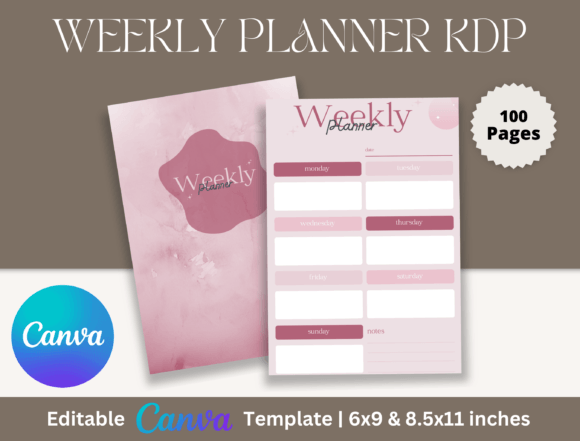
Editable Canva Weekly Planner for KDP: Your Creative Control Center
There is a specific kind of frustration that comes from using generic digital planners. You download a template, open it up, and realize the font is fixed, the colors clash with your brand, and the layout doesn't match how you actually work. The Editable Canva Weekly Planner for KDP removes that friction entirely. This is not just a static PDF; it is a fully dynamic design asset built within Canva. When you purchase this template, you are buying the ability to deconstruct and rebuild the visual style to match your exact specifications. Whether you are a content creator planning a launch week or a busy parent organizing a household schedule, this tool adapts to your life rather than forcing you to adapt to it.
The Power of Full Customization
What sets this particular planner apart is the depth of its editability. Because the files are delivered as Canva links, you have access to every element. If the default sans serif font feels too corporate, you can swap it for a playful script font or a bold display font that matches your brand identity. The color palette is entirely yours to manipulate. You can change the background, the header text, the lines, and the accent graphics with a few clicks. This flexibility is crucial for designers and entrepreneurs who need consistency across their digital and print assets. It allows you to create a cohesive visual hierarchy that guides your eye exactly where it needs to go, ensuring that your weekly priorities stand out clearly against the background noise of daily tasks.
The layout style is designed for clarity, but it does not lock you in. If you need more white space for brainstorming, you can resize the text boxes. If you prefer a vertical orientation over horizontal, the 6x9 and 8x11 inch options give you the canvas space to shift elements around. This is the benefit of using a professional typeface system within a drag-and-drop editor. You get the precision of modern typography without needing a degree in graphic design. The result is a planner that looks high-end and custom-made, even if you only spent ten minutes tweaking the template.
Visual Style and Personality
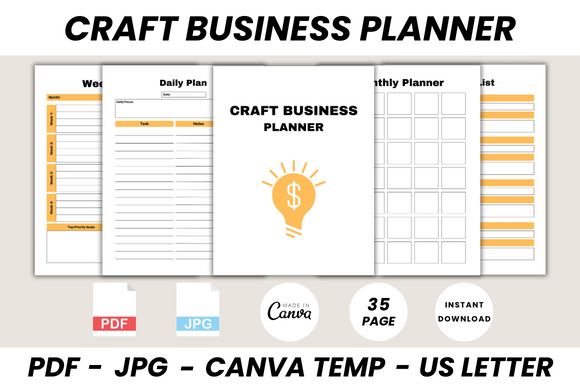
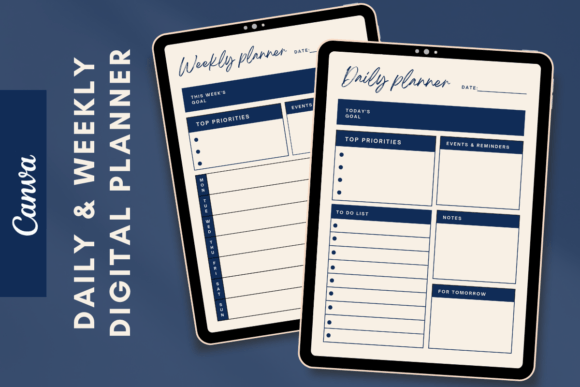
Visually, the Editable Canva Weekly Planner for KDP strikes a balance between minimalism and functionality. The aesthetic relies on clean lines and ample margins, which is a hallmark of strong editorial design. This approach ensures that the planner serves as a neutral backdrop for your content. Whether you lean towards a corporate, sleek look or a more organic, earthy vibe, the structure supports it. The templates include high-quality print ready PDF files and JPGs, ensuring that what you see on screen translates perfectly to paper. This is vital for anyone involved in packaging design or publishing, where print quality cannot be compromised.
The personality of the planner is professional yet approachable. It avoids the overly ornate decorations that can clutter a schedule. Instead, it focuses on readability. When you are rushing to jot down a meeting time or a grocery list, you need a font pairing that is instantly legible. This template facilitates that by using distinct weights—bold for headers and regular for body text—to create immediate recognition. For marketers and bloggers, this clean aesthetic translates well to social media graphics. You can screenshot a page of your planner, share it to Instagram Stories, and it will look polished and intentional, reinforcing your image as an organized professional.
Practical Applications for Professionals
For those in the creative industry, this planner doubles as a project management tool. Small business owners can use the weekly spread to map out content calendars, ensuring that their web design updates, email blasts, and product drops are synchronized. The ability to modify the text means you can type directly into the fields before printing, which saves time and ensures a neat appearance. Alternatively, printing the 100 pages blank allows you to use the physical book as a tactile planning session. There is something about writing on paper that helps with memory retention and creative brainstorming that a digital calendar cannot replicate.
Furthermore, the commercial potential of these files is significant. If you are a publisher or a crafter, you can customize the design, add your own logo, and resell the printed version on platforms like Amazon KDP or Etsy. The included commercial font licensing (assuming standard Canva licensing applies to your specific assets) allows you to create derivative works. This turns the planner from a personal tool into a revenue stream. You could create a niche planner specifically for "Real Estate Agents" or "Yoga Instructors" by simply changing the headers and adding relevant iconography, all within the Canva interface.
Choosing the Right Format and Pairings
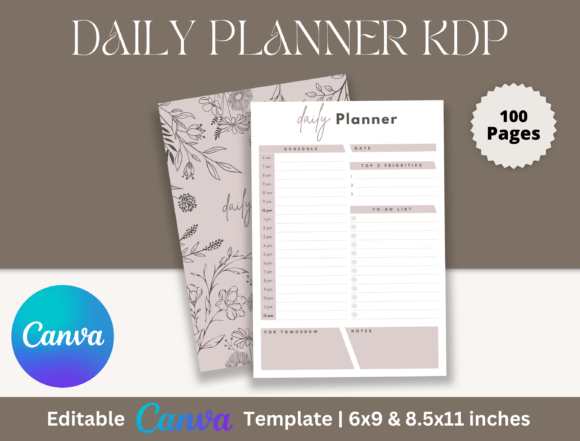
When setting up your Editable Canva Weekly Planner for KDP, pay attention to the file dimensions. The 6x9 inch size is a classic paperback standard—easy to slip into a purse or backpack. The 8x11 inch size offers more room for detailed notes and is better suited for desk use. Choosing between these depends on your lifestyle. If you are a commuter, the smaller size is practical. If you are a designer sketching out wireframes or a writer outlining a manuscript, the larger size provides the necessary real estate.
Font pairing is another area where you can elevate the design. If the default style is a serif font, try pairing it with a geometric sans serif font for a modern, tech-forward feel. This contrast creates a dynamic visual hierarchy that makes the page easier to scan. Avoid using two similar fonts, as this creates visual confusion. Instead, look for contrast in weight and structure. Use the bold, heavy fonts for the days of the week and a lighter, airy font for the task lists. This subtle typographic work transforms a simple list into a piece of premium font art.
Finalizing Your Design Asset
Before you print your 100-page book, take advantage of the JPG file options included in the package. These are useful for creating digital mockups. If you are selling the planner, you need high-resolution images for your sales page. If you are using it personally, the JPGs can be imported into apps like GoodNotes for a hybrid digital-analog workflow. The high-quality print ready PDF ensures that your lines are sharp and your text is crisp, eliminating the pixelation that plagues lower-quality templates.
Ultimately, the Editable Canva Weekly Planner for KDP is more than just a download; it is a framework for productivity. It respects the user's intelligence by providing a robust starting point while leaving the creative direction entirely in their hands. Whether you use it to manage a marketing agency, plan a wedding, or organize your personal goals, the combination of Canva’s accessibility and professional design principles makes this a standout tool for 2024. It proves that organization doesn't have to be boring—it can be a curated reflection of your personal style and professional ambition.